
Products
Add a shampoo or a cream to the bill. The stock goes down by itself.
Point of sale
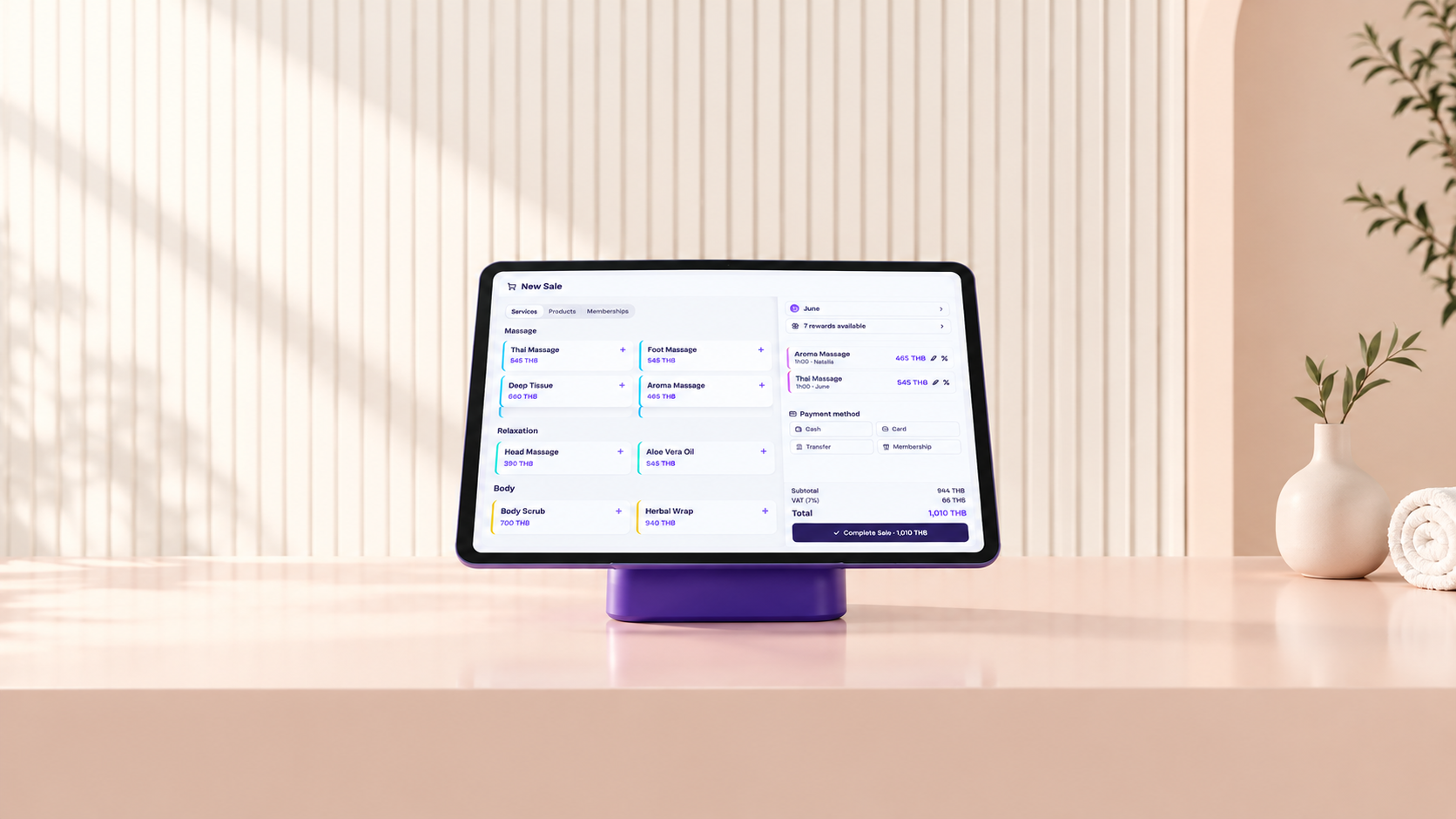
The booking is already on the bill. Take the payment, SeeU handles the rest.
POS included in Premium · 30-day free trial
Sell more
The client is in front of you, wallet out. Add one more thing to the bill in a tap.
Add a shampoo or a cream to the bill. The stock goes down by itself.
Sell 10 visits or a monthly plan on the spot. The client pays up front.
Points are added and rewards used right at checkout. Nothing to count.
Checkout
The appointment is already on the bill, with the client, the services and the prices. No retyping, no calculator.
Payments
Record any payment the same way, so your numbers are always right.
The client scans your QR, you tick it as paid.
Use the card machine you already have.
Recorded in the drawer total for the day.
Half cash, half card? Two taps.
Need to give money back? Refund in one tap, with the reason kept.
See the day's sales by cash, card and transfer. If money is missing from the drawer, you know tonight, not next month.
Print it, email it or send a PDF. A company needs a VAT invoice? It is ready in a tap, with your details and theirs.
Massage & spa
Every massage is linked to the therapist who did it. Their commission is counted at checkout, at the rate you set.
Nail salons
Services and the products you sell go on the same bill. Each technician's commission is counted at checkout.
Phone, tablet or computer. No hardware to buy. Add a receipt printer only if you want one.
Your business
The same app, adapted to how your business really works. Pick yours.
Want to see the POS before you start?
FAQ
No. The POS runs on the phone, tablet or computer you already own. Add a receipt printer if you want paper tickets. Receipts can also go by email or PDF.
Yes. The client pays with your usual PromptPay QR or by transfer, and you record it on the bill in one tap. It shows up in your daily total with cash and card.
Yes. Split one bill between cash, card and transfer. If a deposit was paid online, it is already taken off.
Yes. Every service and product sold is linked to a team member, with the rate you set per person or per service. The monthly total is ready when you need it.
Yes. Every massage is linked to the therapist who did it, and the commission is counted at checkout, as a percentage or a fixed amount. Massage packages are sold at the counter, and one visit is taken off each time.
Yes. SeeU works as a nail salon POS: services and the products you sell go on the same bill, and stock goes down by itself. Each technician's commission is counted at the rate you set, and you can sell manicure packages paid up front.
Yes. They are added to the bill like a service. Product stock goes down by itself, and member discounts and loyalty points are applied automatically.
Yes. A numbered VAT invoice with your details and the client's is generated in one tap. Every receipt and invoice is kept and easy to find.
Open the register in the morning, close it at night. SeeU shows the day's totals by payment method and compares the cash you count with the cash expected.
The POS, receipts and VAT invoices are included in Premium. The calendar, online booking, client files, loyalty and team are included from ฿990/month + VAT. Start with a 30-day free trial.
Set up your POS this afternoon. Your bookings, clients and prices are already in.
POS included in Premium · 30-day free trial